
Not Ozil AI Goal
Ozil AI Goal is vertical 9:16 run-and-chip. Kick Wall Run is 12s landscape broadcast free kick.
Kick Wall Run · 12s · 16:9 broadcast · Wan
One photo, one hosted template. Landscape 16:9 with stadium sound — no prompt to write. For TikTok, letterbox with black bars; do not stretch to 9:16.
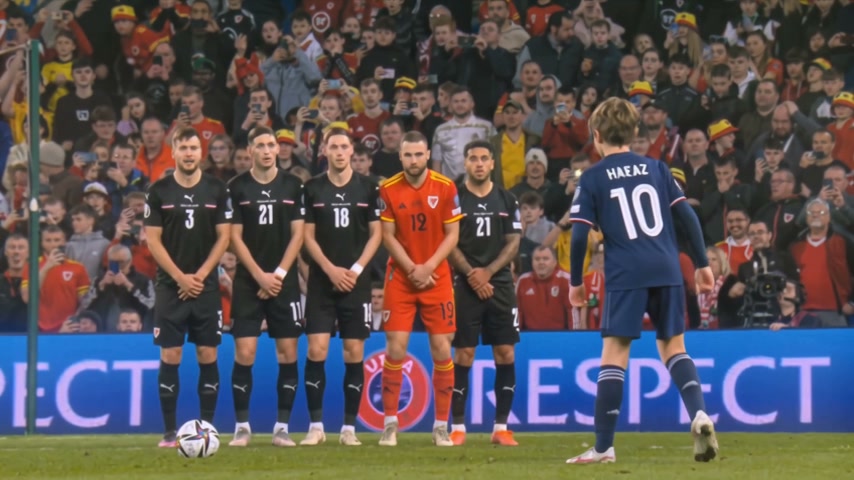
Kick Wall Run AI is a fan-made broadcast sports template: upload one adult photo and Wan Reference generates a 12-second landscape clip — crowd intro, you as the star walking in, free kick over the wall, sideline celebration — matching a hosted motion reference. Output stays 16:9 only; add letterboxing in CapCut or TikTok when you want a vertical feed post. Not affiliated with FIFA, clubs, Douyin creators, or real broadcasters.
Output format
Kick Wall Run AI · 12s · 16:9 only · Wan Reference · letterbox for TikTok vertical
Quality
One adult portrait — face forward, even light, no group shot.
~USD uses Max yearly $/credit (best subscription rate). Monthly plans or one-time credit packs cost more per clip.
Template preview
Generation example from our Photo tips portrait — your upload follows the same kick · wall · run beats.
Viral templates trending on TikTok and Reels — same one-click formats as AI Effects. Pick another in seconds.
Short-form feeds picked up AI “you score the free kick” broadcasts: wide stadium shots, walk-on energy, ball over the wall, then a sprint celebration. Douyin refs spread the look; searchers now type kick wall run ai for the generator. Reeldo hosts one Wan motion plate in 16:9 — your photo casts you as the player.
 1
Wide broadcast open — roar and lights before the kick.
 2
Star player steps in with broadcast confidence.
 3
Free kick arcs — the hero moment.
 4
Arms up, sideline sprint — clip lands the win.
Ozil AI Goal is vertical 9:16 run-and-chip. Kick Wall Run is 12s landscape broadcast free kick.
Full template generation — motion from Video1, identity from your photo.
CapCut can letterbox after export; Reeldo generates the 16:9 clip with Wan Reference first.
Video1 is the hosted Wan motion reference. The generation example is a real 12s output from the Photo tips portrait on this page.
Reference clip Reeldo attaches when you generate — timing, camera, and stadium sound.
Output from our Photo tips upload — same template, European child portrait, 12s landscape with sound.
Three steps — template generation from your photo, not a face editor.
One clear adult portrait — face forward, shoulders up or full body. Avoid group shots.
Draft 480p or Standard 720p — 12 seconds with sound. Output is always landscape 16:9.
YouTube or X: post as-is. TikTok/Reels vertical: import into CapCut, Canvas → Ratio 9:16, Fit (letterbox) — black bars top and bottom, never crop the kick.
One adult portrait drives the whole broadcast.

Same 12-second 16:9 template — resolution is the only difference.
Fast preview before you post landscape or letterbox.
About 100 credits (~12s Wan Reference with sound).
Sharper grass, crowd, and kit for YouTube or HD feeds.
About 225 credits (~12s Wan Reference with sound).
Why generate here instead of only editing apps.
Use CapCut after download: Canvas 9:16, Fit with black bars to post vertical — we export 16:9 so you keep the full kick in frame.
Hosted motion reference, managed Wan prompt, credit estimate in the browser — one photo in, 12s landscape out.
Download, then post landscape or letterbox for vertical apps.