Reeldo AIReeldo AI

Black Friday Video Maker AI · BFCM preset

Black Friday Video Maker AI from Your Product URL

An AI-first maker for Black Friday and Cyber Monday: turn a public product page into a vertical 9:16 clip for organic posts or paid creative. You paste the URL and enter verified sale copy; match checkout before you run ads. Reeldo outputs video only — campaign setup and targeting stay in each ad platform.

Try the generator

Product page URL

Which link works?

Use a public product or listing page you sell on (Shopify, WooCommerce, Amazon PDP you own, BigCommerce, etc.). No social watch pages or direct image/video links.

Sale & deadline (you verify)

Prices & codes on screen

Discounts, codes, and end times must match your checkout and policy — Wan uses only what you type here for on-screen promo text, not scraped prices.

Campaign phase

Opening angle

Look & pacing

Affects camera motion and energy only — promo wording still comes from your offer fields, not scraped prices.

Default output

Preset for BFCM clips (tap a chip to tweak in Advanced).

Preview

Sample clip — paste your URL, Check link, then Generate.

Open the source product page
Recorded example9:16 · 12s · 720p
9:16 · 12s · 720p

How your Black Friday ad is structured

This maker AI follows the usual shape of short vertical sale ads — four beats your workbench maps to; that is the brief you give Wan. This page does not create ad campaigns; export your MP4 and upload it where you run ads.

Hook · first seconds
Opening angle and Look & pacing steer the opener — deal-first, problem→product, or gifting. Goal: stop the scroll and name why this is for BFCM.
Product & benefit
Wan uses your public product page (after Check link). Optional hero image gives the model a clearer product shot to reference.
Promo · code · deadline
Offer line, promo code, end date, and campaign phase are yours only — nothing is scraped. Match them to checkout before you ship ads.
CTA
The clip lands on one next step (e.g. shop the sale). Add your URL in the post caption or link in bio when you publish — not generated here.

Not a shot-by-shot storyboard — beats may blend in one take. Regenerate with different hooks or styles to test what performs.

Three steps with the maker AI

Same order as the workbench — your inputs are the product URL, verified sale lines, and Look & pacing.

Step 1

Paste a public product URL

Shopify, WooCommerce, or marketplace PDP you control — not social watch pages or file links. Tap Check link; Generate stays locked until the page reads cleanly.

Step 2

Add verified sale copy + Look & pacing

Offer line, optional code, deadline, and campaign phase should match what shoppers see at checkout. Pick Opening angle and a Look & pacing card for camera energy only.

Step 3

Generate your AI clip

Optional hero reference from the PDP after Check link. Default is Product ad · 9:16 · ~12s with sound — adjust in Default output chips or Advanced, then download or Extend / Upscale.

What Black Friday Video Maker AI delivers (BFCM)

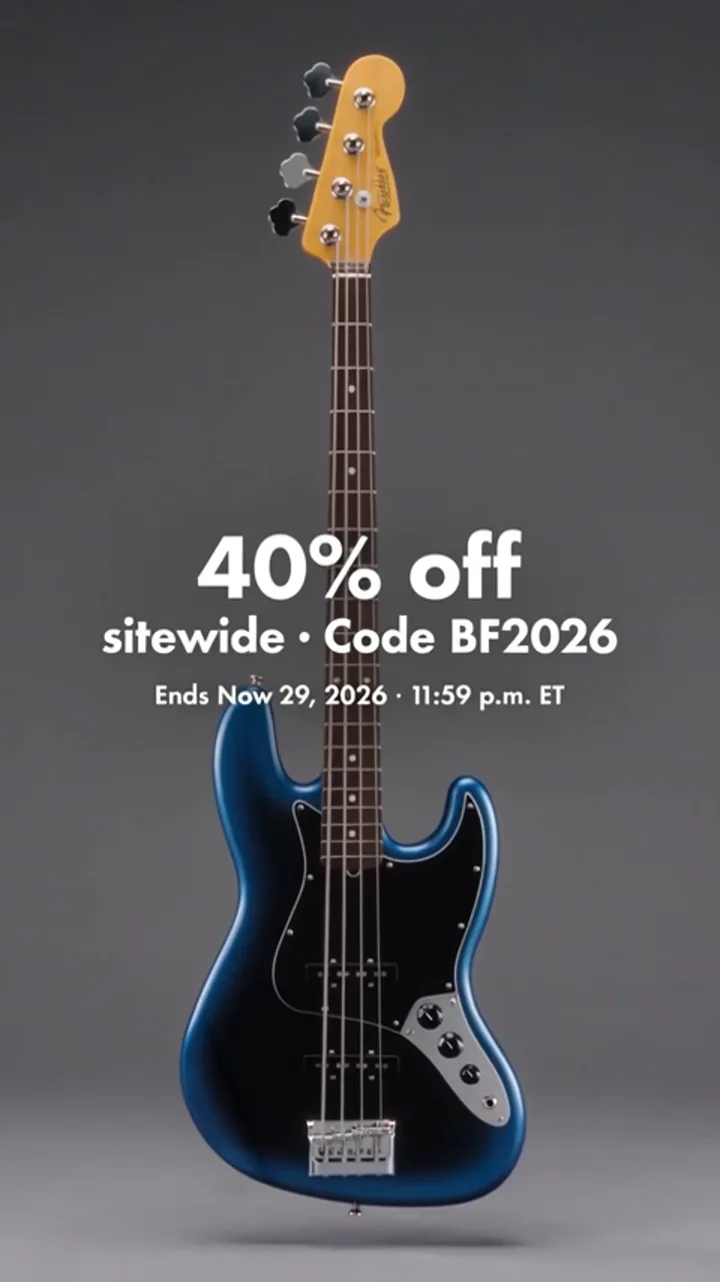
Black Friday Video Maker AI runs one Wan Link job: a vertical product-ad clip with promo wording you type. Below: a recorded public product page (Fender JP PDP) → vertical ad (same engine as the workbench above), then the three Look & pacing tiles from your form — they steer camera energy, not your discount copy.

Recorded example

Product page → vertical sale ad (9:16)

Check link on a public product page, add your verified offer line + deadline in the sale fields, pick Look & pacing, then Generate — Wan Link returns one MP4 with in-clip promo text from your fields only.

Open the example product page →

Product page

Screenshot of the public Fender JP product page used as URL input for Black Friday video maker

Public PDP URL

BFCM ad clip

Look & pacing on this page

These three cards match the workbench — same presets, different camera energy. Promo wording still comes only from your sale fields.

  • Look & pacing example — studio push-in product shot for a BFCM vertical ad

    Studio push-in

  • Look & pacing example — lifestyle setting motion for a BFCM product ad

    Lifestyle

  • Look & pacing example — bold hook-first framing for a BFCM product ad

    Hook open

This page vs full URL to Video

The same Wan Link engine underneath — this page is the streamlined Black Friday Video Maker AI path. Use this table if you need the full four-scenario URL to Video tool.

FeatureThis page (BFCM)Full /url-to-video
Video scenariosProduct ad only — blog, landing, and service modes are hidden.Four scenarios — product, blog teaser, landing hero, service clip.
Sale & deadline fieldsBFCM block with offer line, code, deadline, phase — tuned for sale ads.Scenario presets only; no dedicated BFCM sale block on the default path.
Look & pacingThree cards (Studio / Lifestyle / Hook open) match the workbench tiles.Full visual style list for every scenario.
Best forBFCM sprint: one PDP, one vertical promo, minimal mode switching.Mixed page types (articles, SaaS landings, services) in one tool.

For merchants — not deal hunters

✓

Stores & marketers

You want Black Friday Video Maker AI — a vertical Wan Link clip from one public PDP with sale copy you verify, for Reels/TikTok/Shorts or paid placements (upload the MP4 in your ad account) — without wading through blog/landing scenarios.

✗

Shoppers looking for discounts

This tool doesn’t list store deals. Use a retailer or deals site if you want bargain roundups.

On-screen prices and codes must match what you run at checkout — you are responsible for accuracy.

After you generate

From the preview panel (same flow as URL to Video):

  • Download MP4.
  • Video Extend — add seconds.
  • Video Upscale — sharpen for upload.

FAQ

What is this page?

Who should use it?

Can I use the clip for Meta or TikTok ads?

Where do discounts come from?

Works with Shopify?

What about Amazon or other marketplaces?

Is this only for Black Friday 2026?

Different from /url-to-video?

Output format?