Reeldo AIReeldo AI

Independent platform · not kling.ai

Kling 4.0 AI Video Generator

Native 3–30s clips, up to 10 keyframes, and Omni Reference (@Image1 / @Video1) on Reeldo — 720p/1080p with stereo audio.

  • 3–30s per run
  • Up to 10 keyframes
  • Omni Reference
  • Native stereo audio

Pick your Kling 4.0 path

Start from what you already have — one mode per run. Keyframes and Reference cannot share a single job on Reeldo.

Upload reference files before writing @Image1 / @Video1. Proof at 720p · 5–10s before 30s 1080p.

Not on this generator

Create a Kling 4.0 clip

Not sure which tab? Start with Pick your path above — then proof at 720p before 30s 1080p.

Text → video with native audio · 3–30s

Platform film example ↓

Model

0/2500
16:9 · 5s · 720p

What Kling 4.0 adds — on Reeldo

Four capability stories in order, then a Reeldo platform film you can replay with one click. Replace stills in public/imgs/seo/kling-4/v3/ when your AI art is ready.

Kling 4 native thirty second storytelling timeline over cinematic stillTap to preview official Kling sample until your v3 still is in place.
01

Text to video · up to 30s

Native 30-second storytelling

What you get
One generation can run 3–30 seconds so action, dialogue, and camera moves develop in a single clip — not three stitched 5s takes.
On Reeldo
Text to video or Keyframes · 16:9 · proof at 720p 5–10s, then scale to 30s 1080p.
Example prompt

16:9 cinematic single take, 10 seconds. Golden retriever and owner on a mountain overlook at sunset — dog runs toward camera, owner kneels for a hug, slow dolly back reveals valley haze. Stable fur detail, natural motion, soft wind audio, no music.

Kling 4 up to ten keyframes timeline on one story lineTap to preview official Kling sample until your v3 still is in place.
02

Keyframes tab

Up to 10 keyframes for precise direction

What you get
Pin up to ten ordered stills so poses, scene changes, and hero frames land where you planned — the model fills motion between anchors.
On Reeldo
Keyframes tab · upload 2–10 stills in story order · one continuous shot.
Example prompt

Single continuous 16:9 shot. Same golden retriever runs from mountain trail into shallow stream, shakes water, sits beside owner — smooth transitions between uploaded keyframe poses, no morphing breed or background.

Kling 4 omni reference Image1 Video1 flow diagramTap to preview official Kling sample until your v3 still is in place.
03

Reference tab

Omni Reference — @Image1 + @Video1

What you get
Lock who or what appears from a photo and borrow camera or body motion from a reference clip — Kling uses capital I: @Image1, @Video1, @Element1.
On Reeldo
Reference tab · upload images and videos first, then tag them in prompt order.
Example prompt

@Image1 woman in red jacket stands in neon alley. Match dance steps and camera orbit from @Video1. Keep face identity from @Image1, cinematic rim light, 10s, stereo ambience.

@ tags at a glance

Kling 4 Reference @Image1 versus Reference Studio lowercase tags versus image start and end frame
  • Kling 4 Reference@Image1 · @Video1 · @Element1
  • Reference Studio@image1 · @video1 · @audio1
  • Image tabStart + end frame (no @ tags)

Need @audio1 file uploads? Use /reference-to-video. Video edit on existing MP4? Use /video-to-video.

Kling 4 cinematic motion and native audio showcaseTap to preview official Kling sample until your v3 still is in place.
04

Text to video · native audio

Cinematic motion & native audio

What you get
Large moves, tracking shots, and dialogue-friendly stereo output — motion stays stable across longer beats.
On Reeldo
Text or Image tab with native audio · 1080p max on this page (4K HDR on kling.ai / Kling 3 4K on /kling).
Example prompt

16:9, 10s. Over-shoulder tracking shot following a courier jogging through rain-soaked Tokyo crossing at night — reflections, stable legs, native footsteps and city ambience, brief English line: "I'm almost there."

05

Text to video · 16:9 · 15s

Reeldo example — one 15s Text-to-Video run

What you get
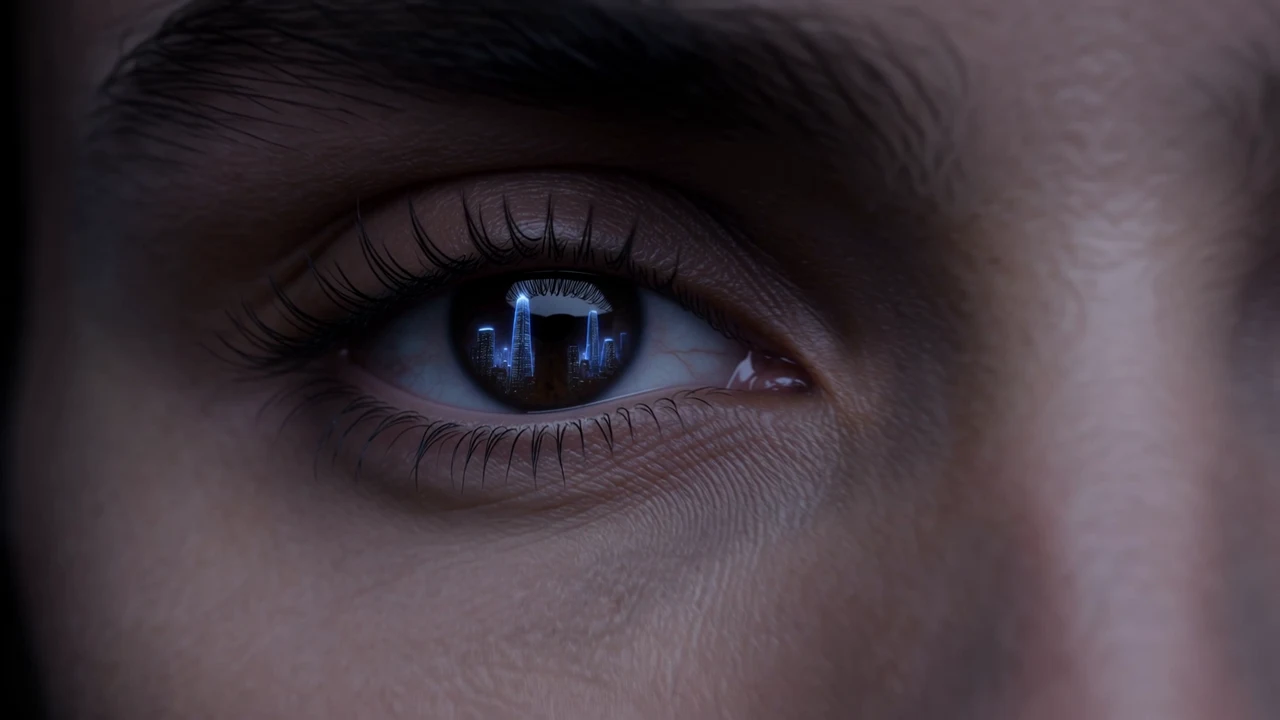
A full platform film rendered on Reeldo: macro eye, studio reveal, native VO, end card — same prompt for social and this case study.
On Reeldo
Text to video · 16:9 · 15s · hosted MP4 when available.
Example prompt

Horizontal 16:9, 15 seconds, single continuous camera move, no jump cuts. Premium sci-fi blockbuster look, zinc-black and indigo rim light, photoreal textures, anamorphic lens flares, subtle film grain, HDR. Blockbuster VFX detail: readable micro-texture, stable physics, no cartoon look. Open on extreme macro: human eye reflecting a holographic city skyline, iris and catchlight razor sharp, visible skin pores and eyelashes. Seamless dolly out reveals the same person in a matte-black studio wearing a sleek helmet, face identity locked, no morphing. Camera arcs through floating dust motes crossed by thin laser grids; each particle and light streak crisp. Slow orbit, weighted cinema drone feel, no handheld shake. Native audio: low sub drone, soft room tone, faint hologram hum — no music, no lyrics. English VO, calm authoritative trailer tone at 6s: "Thirty-second stories. One generation. Kling 4.0 Full — now live on Reeldo AI." Seconds 12–15: camera settles to static locked end card, near-black background, soft indigo vignette. Sharp high-contrast white sans-serif, spelled exactly two lines centered: Reeldo AI then Kling 4.0 is live — hold full 3 seconds, VO silent, soft cinematic tail tone. No klingai.com, no third-party logos, no other on-screen text before the end card. Avoid morphing faces, extra fingers, gibberish subtitles, warped or melting typography, jump cuts, handheld chaos, cheap social clip aesthetic.

Kling 3.0 vs Kling 4.0 on Reeldo

Both run on Reeldo — pick by length, references, and delivery resolution you actually need.

FeatureKling 3.0 · /klingKling 4.0 · this page
Max length per generation4–15 seconds3–30 seconds on Reeldo
Keyframe controlStart + optional end frame (I2V)2–10 ordered keyframes (Keyframes tab)
Multimodal referencesText + image I2V onlyReference tab: 10 images + 5 videos + 7 Elements
Resolution on Reeldo720p / 1080p / native 4K tier720p / 1080p (21:9 supported)
AudioNative Sound-On toggle (optional)Native stereo on supported T2V/I2V runs; Element voice_id in Reference
Prompt limitStandard lengthLong prompts on Reference/Edit; Keyframes up to 2,500 chars

Fix common Kling 4.0 issues on Reeldo

Most wasted credits come from wrong tab choice or tag names — not from model quality.

Three common Kling 4 fixes — tag order, separate Keyframes and Reference jobs, and 4K on Kling 3

Prompt mentions @Image2 but only one image uploaded

Fix: Re-order uploads or edit the prompt so every @ tag has a file.

Why this happens

Tag index must match upload order in Reference or Edit.

Expected Keyframes + Reference in one job

Fix: Pick one tab per generation, or chain two exports in Video Extend.

Why this happens

Kling separates Omni Reference and Keyframes — Reeldo exposes them as different tabs.

Need 4K or HDR delivery

Fix: Use Kling 3.0 4K on /kling, or upscale after export on /video-upscale.

Why this happens

Reeldo Kling 4.0 exports up to 1080p on this page.

More fixes
  • @audio1 on Kling 4

    Use /reference-to-video for audio file refs — Kling 4 Reference uses @Image1 and Element voice IDs.

  • Credits spike

    Trim reference videos and confirm credits on Generate before each run.

  • Edit an existing MP4

    Edit video is not on this page's tabs — use /video-to-video for clip transforms.

FAQ

Which Kling 4.0 mode should I use on Reeldo?

Keyframes vs Image to Video end frame?

Kling 4 Reference vs Reference to Video on Reeldo?

Can I upload audio references on Kling 4 Reference?

Video Edit vs Reference — what is the difference?

Kling 4.0 vs AI Motion Control on Reeldo?

Kling 4.0 vs Kling 3.0 on Reeldo — which should I use?

Kling 4.0 vs Seedance 2.5 — which should I use?

Does Reeldo offer Kling 4.0 Flash?

Is Reeldo the official Kling website?

Can Kling 4.0 keep one continuous take?

How is Kling 4.0 priced on Reeldo vs kling.ai?

What is supported on Reeldo Kling 4.0 today?

I need 4K or HDR output — what should I do?

Reeldo AI is not affiliated with Kuaishou or kling.ai. Official Kling access is at klingai.com.