Reeldo AIReeldo AI

Independent platform · not kling.ai

Kling 4.0 Flash AI Video Generator

Fast 720p Kling 4.0 Flash on Reeldo — 3–20s output, prompts up to 8,000 characters, Reference with 2–20s combined @Video1, native audio, and lower per-second credits than Full. Proof here, finalize on /kling-4.

  • Often under 2 min per 10s clip
  • 3–20s output · 720p only
  • Prompts up to 8,000 characters
  • Combined ref video 2–20s
  • ~40% lower credits vs Full @ 720p

When to use Kling 4.0 Flash

Flash is the draft tier in the Kling 4.0 family — faster turnaround, 720p output, longer prompts (8,000 characters), and tighter reference-video rules than Full.

Proof at 5–10s · 720p · combined ref video 2–20s · then /kling-4 for 1080p, 30s, or multi-shot Reference.

Need Full capabilities?

Need 1080p or 30s

Flash stops at 720p and 20s — no multi-keyframe or multi-shot Reference.

Open /kling-4 →

Create a Kling 4.0 Flash clip

720p · 3–20s output · prompts up to 8,000 characters · combined reference video 2–20s when @Video1 is used · no multi-shot Reference or multi-keyframe — open /kling-4 Full when motion is locked.

Describe scene, camera, and sound — 3–20s, 720p, native audio.

Model

0/8000
16:9 · 5s · 720p

What Kling 4.0 Flash does on Reeldo

Four workflows that match Kie Flash — fast proofs at 720p, then upgrade to Kling 4.0 Full when delivery specs tighten.

Kling 4.0 Flash fast text to video social draft at 720p
01

Text to video · Flash

Fast text-to-video drafts

What you get
Ship Reels/TikTok ideas in one 3–20 second pass — native ambience or quoted dialogue, with prompts up to 8,000 characters for detailed direction.
On Reeldo
Text to video tab · 9:16 or 16:9 · 720p only · proof at 5–8s before 15–20s.
Example prompt

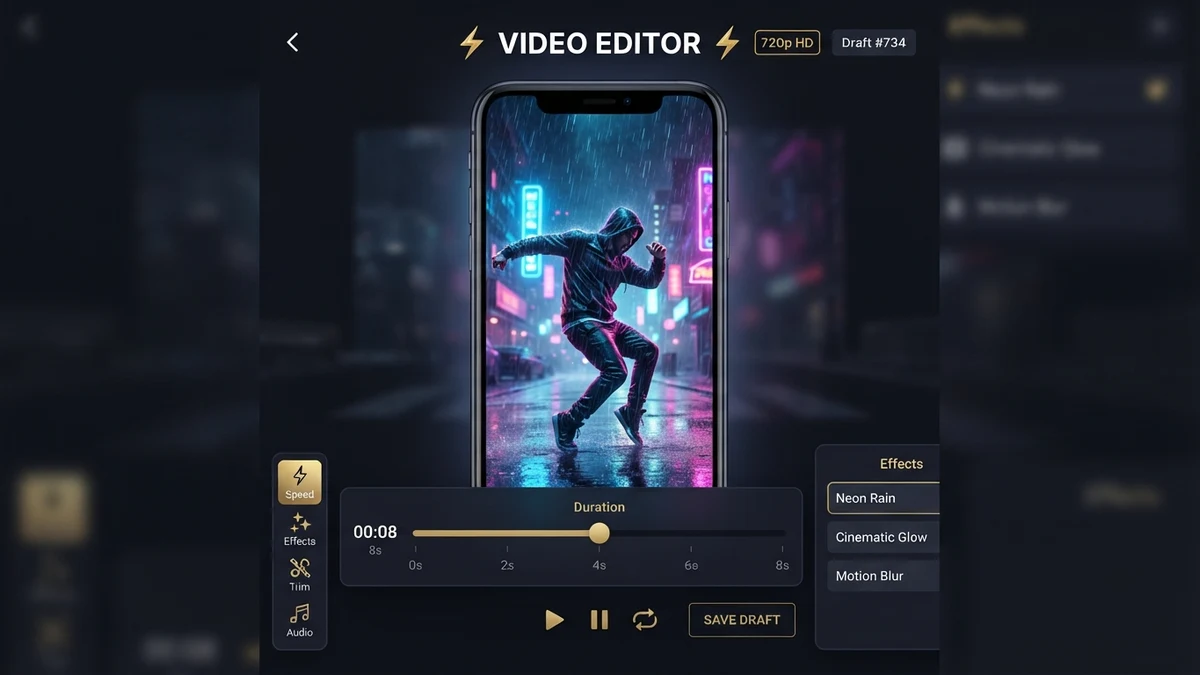
9:16 vertical, 8 seconds, single continuous take, no music. Street dancer in neon jacket performs one short spin under rain — stable legs, shallow depth, native footsteps and rain ambience only.

Kling 4.0 Flash image to video from single product still
02

Image to video · start frame

Start-frame image to video

What you get
Lock composition from one still and describe motion in prompt — Flash does not accept an end frame; use Full for start+end product shots.
On Reeldo
Image to video tab · one start frame · 720p · 3–20s.
Example prompt

16:9, 10s. Hero skincare bottle on marble — slow parallax, soft studio light, condensation on glass, no camera shake, no background music.

Kling 4.0 Flash omni reference with Image1 and Video1 tags
03

Reference tab

Omni Reference on Flash

What you get
Keep identity from @Image1 and borrow motion from @Video1 — combined reference video (clips + element videos) must total 2–20 seconds; single prompt only.
On Reeldo
Reference tab · upload files first, then @Image1 / @Video1 / @Element1 in prompt order.
Example prompt

@Image1 creator in teal hoodie in minimal studio. Match arm gestures and head turn pacing from @Video1. Keep face from @Image1, 10s, 720p, native room tone, no music.

@ tags at a glance · Flash

Kling 4.0 Flash Reference tags versus Reference Studio lowercase tags versus start-frame only I2V
  • Kling 4 Flash Reference@Image1 · @Video1 · @Element1
  • Reference Studio@image1 · @video1 · @audio1
  • Flash Image tabStart frame only — end frame on /kling-4

Flash Reference uses @Image1 / @Video1 / @Element1 — not @audio1 files. Need @audio1 uploads? Use /reference-to-video.

Kling 4.0 Flash edit video restyle with Video1 tag
04

Edit video tab

Edit video with @Video1

What you get
Upload a source MP4 and describe what should change while preserving motion — source duration must fall in the 2–20 second window on Flash.
On Reeldo
Edit video tab · one source clip · @Video1 required in prompt · 720p output.
Example prompt

Transform @Video1 into a misty dawn forest scene while preserving the walk cycle and camera path. Cool green grade, soft fog, no music, single continuous take.

Kling 4.0 Flash limits at a glance

Hard limits enforced in the Reeldo generator and Kie Flash API — cite these when comparing Flash to Full or kling.ai.

LimitFlash on ReeldoNotes
Output duration3–20 secondsUse Kling 4.0 Full for up to 30s.
Prompt lengthUp to 8,000 charactersFull is typically 2,500 characters on most tabs.
Combined reference video2–20 seconds totalUploaded clips + element videos in Reference or Edit.
Multi-shot ReferenceNot supportedPer-shot prompts live on Kling 4.0 Full only.
Keyframes tabNot supportedOrdered 2–10 stills are Full only.
I2V end frameNot supportedStart frame only — dual-frame I2V on /kling-4.

Kling 4.0 Flash vs Kling 4.0 Full on Reeldo

Both run on Reeldo via Kie. Flash saves about 40% on Fal-list 720p per-second pricing — use it to find the idea, not as a pixel-perfect preview of Full.

Workflow: proof on Flash (this page) → deliver on Kling 4.0 Full when you need 1080p, 30s, keyframes, or multi-shot Reference. Need native 4K or Kling 3 Studio multi-shot? Use /kling — details in the table below.

FeatureFlash · this pageKling 4.0 · /kling-4
Max resolution720p only720p / 1080p
Max length3–20 seconds3–30 seconds
Typical wait (10s clip)Often ~1–2 minutesOften several minutes
Retail credits @ 720pLower per-second tierHigher per-second tier
Multi-keyframe storyboardNot supported2–10 keyframes tab
Image I2V end frameStart frame onlyOptional start + end
Multi-shot ReferenceNot supportedPer-shot prompts in Reference
Prompt limitUp to 8,000 charactersUp to 2,500 characters
Combined reference video2–20 seconds totalUp to 30s output; wider ref billing
Best forSocial drafts & batch proofs1080p finals & long takes

Kling 4.0 Flash pricing on Reeldo

A Credits ≈ seconds × Flash 720p rate (no reference video input).

B Reference video jobs bill longer — see tool hint when @Video1 is used.

Kie failed tasks are not charged; Reeldo quotes credits from Fal-list retail tiers.

5s · 720p · Text to video

$0.48

20 credits

Quick motion proof

10s · 720p · social clip

$0.95

40 credits

Typical Reels/TikTok draft

15s · 720p · dialogue beat

$1.40

59 credits

Native audio from prompt

20s · 720p · max Flash length

$1.88

79 credits

Longest single Flash run

Pay only for what you generate

No Kling API flagship package required — top up credits when you need more Flash volume.

View plans →

Flash output

720p Flash · Only resolution on this model.

Compare side-by-side with Kling 4.0 Full on /kling-4. Yearly plans lower effective $/credit — see /pricing.

USD estimates use Max yearly $/credit; your plan may differ.

Fix common Kling 4.0 Flash issues

Most wasted credits come from Full-only features, reference video length, or tag order — not from model quality.

Common Kling 4.0 Flash fixes — reference video totals, no multi-shot Reference, and upgrade path to Full

Reference rejected — video too long

Fix: Trim clips, remove an element video, or shorten uploads until the total is in range.

Why this happens

Kie Flash requires combined reference video between 2 and 20 seconds.

Multi-shot Reference toggle missing or fails

Fix: Use one prompt on Flash, or open /kling-4 for per-shot Reference prompts.

Why this happens

Multi-shot Reference is Kling 4.0 Full only.

End frame upload ignored on Image tab

Fix: Remove end frame or switch to Kling 4.0 Full for start+end I2V.

Why this happens

Flash accepts a start frame only.

Unwanted music or hidden cuts

Fix: Prompt: no music, single continuous take — proof at 5–10s first.

Why this happens

Kling 4.0 models sometimes add BGM or implicit scene breaks.

Prompt says @Video2 but only one video uploaded

Fix: Re-order uploads or edit the prompt so every @ tag has a file.

Why this happens

Tag index must match upload order.

Billing & quality
  • Edit mode waits on clip duration

    Flash Edit needs measured source length (2–20s). Wait for upload analysis to finish before Generate.

  • Credits higher than the table

    Reference and Edit jobs can bill input + output seconds. Read the total on Generate before confirming.

  • Flash proof does not match Full final

    Tiers use different caps and routing — reuse prompt ideas on /kling-4, do not expect identical pixels.

Motion approved on Flash? Switch to Kling 4.0 Full when any of these are required:

  • 1080p delivery
  • 21–30 second narrative
  • Multi-keyframe storyboard tab
  • Multi-shot Reference (per-shot prompts)
Open Kling 4.0 Full →

FAQ

What is Kling 4.0 Flash on Reeldo?

Kling 4.0 Flash vs Kling 4.0 Full — which should I use?

How long can Kling 4.0 Flash clips be?

Does Flash support 1080p?

Does Flash support Omni Reference?

What is the Kling 4.0 Flash prompt limit?

How long can reference videos be on Flash?

Can I use an end frame on Flash image to video?

Does Flash support the Keyframes tab?

How is Flash priced vs kling.ai?

Why does Flash add music or cut shots I did not ask for?

Is Reeldo the official Kling website?

Does Kling 4.0 Flash support multi-shot Reference?

Why do Reference or Edit jobs cost more credits than the table?

When should I switch to Kling 4.0 Full?