

01
Quoted headlines on posters
Put on-image copy in double quotes — Sunburst is tuned for tags, price lines, and short headlines.
- Vertical 9:16 launch layouts
- Headlines like "SUMMER DROP" stay legible
- Sunburst · 2K — see workflow below
OpenAI GPT Image 2.6 · Kie · Reeldo
Draft fast on Flare. Finish on Sunburst when labels, faces, or products must stay consistent. Multi-reference image-to-image, regional mask on Sunburst, quality and complexity controls — pay per image, then animate in Studio.
Typical flow: explore on Flare, then regenerate the same prompt on Sunburst (or tap Upgrade below your result).
Workflow presets
Each preset sets tier, ratio, and resolution — adjust before you generate.
Reference images
Optional — up to 4 images; order matches prompt ("first image", "second image")
~6 credits per image

Flare for speed and GIF loops. Sunburst for quoted type, multi-reference edits, and mask — without ChatGPT Plus.
Credits shown before Generate · not affiliated with OpenAI.
Put on-image copy in double quotes — Sunburst is tuned for tags, price lines, and short headlines.

Same prompt and references — switch tier without rewriting.

Upload up to 4 refs — image-to-image starts automatically on Sunburst.

Format → GIF for Stories slots — default 9 frames, no video credits.

One reference + mask — edit only the white region on Sunburst.
Five hands-on templates — poster first, then draft, multi-ref, mask, and GIF. Tap Use in generator to apply tier, format, and prompt.
Example 01 / 05
Output

Prompt template
Vertical launch poster, headline "SUMMER DROP" in bold sans-serif, subline "Free shipping this week", product bottle centered below, commercial layout.
Example 02 / 05
Output

Prompt template
Studio packshot of a matte black earbud case on dark stone, soft rim light, shallow depth of field, paper tag that reads "BATCH 07".
Example 03 / 05

Person

Product
Output

Prompt template
Keep: face and skin tones from first reference; product shape and label from second reference. Change: merge into one editorial portrait, natural studio light.
Example 04 / 05

Reference

Mask
Output

Prompt template
Keep: product in unmasked area unchanged — label, reflections, silhouette. Change: replace white mask region with soft gradient studio backdrop.
Example 05 / 05
OutputGIF · 9f
Prompt template
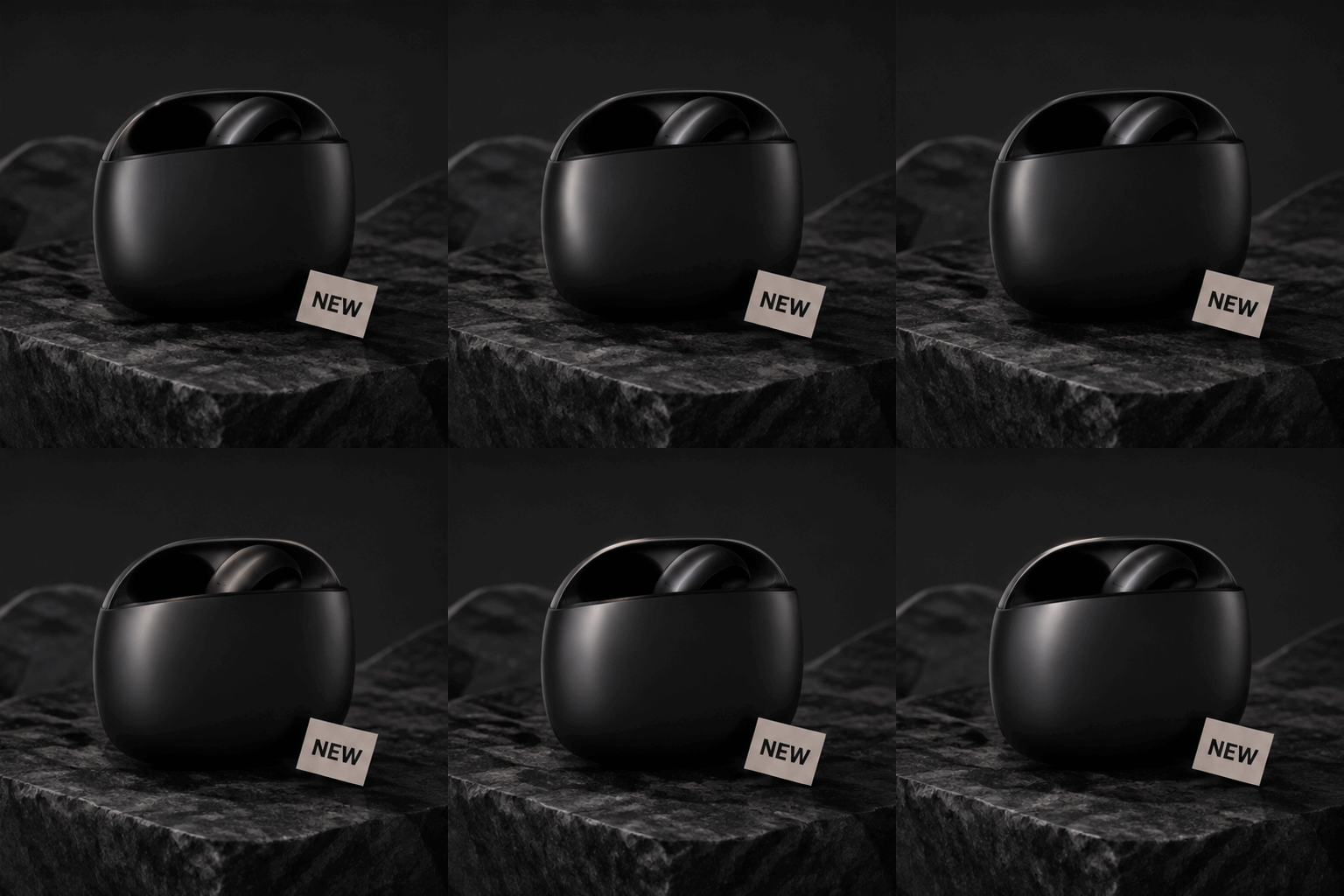
Minimal product hero, matte black earbud case on dark stone, soft loopable light sweep across the case, small paper tag that reads "NEW", clean background, subtle repeating motion only, no scene changes between frames.
Step 1
Flare for drafts and GIF loops; Sunburst for posters, multi-ref, and mask. Mask needs one reference + mask file.
Step 2
Low complexity for I2I and masks; medium for posters. GIF for social loops (9 frames).
Step 3
Generate on Flare, then Regenerate as Sunburst or switch tier before a final run.
Step 4
Open Studio with your still for image-to-video with sound.
GPT Image 2.6 = OpenAI Flare/Sunburst, quoted type, mask, and GIF loops. Nano Banana 2.1 = fast Google multi-ref drafts. Seedream 5 = max-fidelity product and cinematic heroes.
| Feature | GPT Image 2.6 | Nano Banana 2.1 | Seedream 5 |
|---|---|---|---|
| Edit consistency | Sunburst I2I + Keep/Change | Thinking multi-ref | Highest for product & cinematic heroes |
| Draft speed | Flare @ 1K | Standard @ 1K–4K | Slower · worth for delivery stills |
| Multi-reference | 4 UI · up to 16 on Kie | 4 UI · 14 model max | 1 optional ref (T2I-first) |
| Quoted headlines | Sunburst posters | Thinking layouts | Good for cinematic stills |
| Best for | Flare→Sunburst · mask · GIF | Fast Google stills & multi-ref | Product heroes & cinematic frames |
| Feature | Flare (Draft) | Sunburst (Finish) | References |
|---|---|---|---|
| Default resolution | 1K | 2K | — |
| Consistency across edits | Good for drafts | Stronger on I2I | Required for I2I |
| Multi-reference | Optional | Recommended | Auto I2I |
| Credits / image | 6 / 11 / 17 | 8 / 14 / 21 | Same job |
| Best for | Drafts · GIF loops @ 1K | Posters · mask · finals | 1–4 uploads |
| Mask edit | No | Yes | 1 ref + mask |
Finish on Sunburst, then animate — Reeldo Studio is not limited to OpenAI video models.
Step 1
21:9 or 16:9 on Flare, then Sunburst if you need max detail.
Step 2
Same prompt — one click from your last Flare result.
Step 3
Pre-loads your frame for image-to-video.
Download, iterate tier, or send to Studio.