
Built for three
Default upload is three photos so the viral “trio” look is the product, not a duo afterthought.
Viral TikTok trend · 1–3 photos · ~10s · Wan
Pick Trio or Solo, upload photos, and generate the dim-room glowstick dance — handheld sticks, synced moves, native sound. Credits shown before you create.
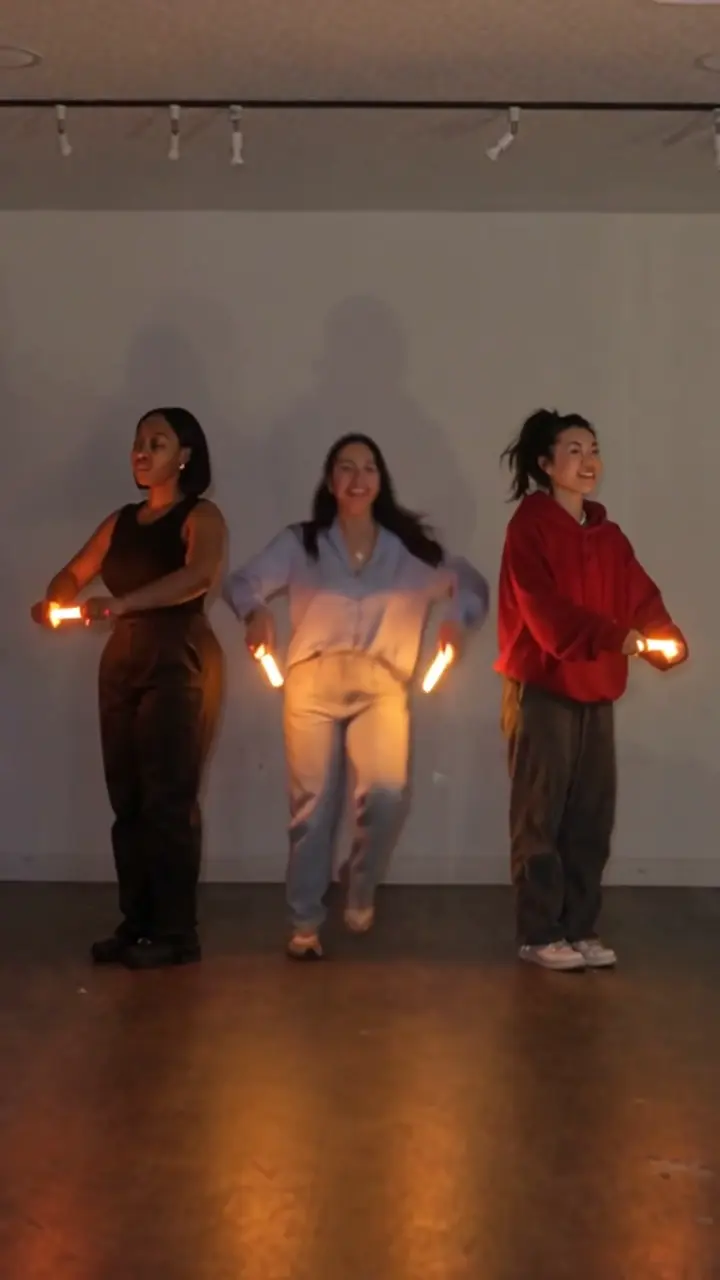
Glow Trio AI turns your photos into a short vertical clip that matches the viral glowstick bestie dance timing — dark room, bright sticks, synchronized lineup. Use three photos, or one photo with AI partners on the sides.
Glow Trio template
Wan copies the viral glowstick lineup from Video1. Upload three photos for Trio (default), or one photo for Solo with AI partners.
Upload photos
Photo 1 — left
Front-facing photo of the dancer on the left.
Photo 2 — center
Center dancer (Trio only).
Photo 3 — right
Right dancer (Trio only).
Three clear front-facing photos — left, center, and right. Good light, no sunglasses.
Quality
Three clear front-facing photos — left, center, and right. Good light, no sunglasses.
~USD uses Max yearly $/credit (best subscription rate). Monthly plans or one-time credit packs cost more per clip.
Motion preview
Built-in glowstick trio motion — upload photos to star in this scene.
Viral templates trending on TikTok and Reels — same one-click formats as AI Effects. Pick another in seconds.
Glow Trio is the English name for the viral three-person glowstick dance wave — friends line up in a dim room, hold glowing sticks, and hit short synchronized moves. On Reeldo, your photos replace the faces while Wan copies the motion from the reference plate.
 1
Three dancers stand side by side in a dim indoor space.
 2
Handheld glow sticks become the main light source and visual hook.
 3
The trio hits the same choreography beats in one continuous take.
 4
End on a strong pose with sticks still glowing toward camera.
Default upload is three photos so the viral “trio” look is the product, not a duo afterthought.
The look is swinging sticks in a dark room — not sticking glow sticks onto clothing as body art.
Video1 carries the timing; your photos only swap identity — no CapCut stitch needed.
Start with Trio Glow for three locked faces, or Solo Glow when you only have one photo — AI fills the other two dancers.
Three friends, dim room, handheld sticks
You in the center — AI dance partners on both sides
Three steps — same flow as the generator above. No CapCut required.
Trio (default) needs three photos. Duo is a two-person fallback with the same glowstick motion plate.
Assign left / center / right (or left / right for Duo), choose Draft or Standard, then create with Wan 3.0.
Download the clip with sound and post to TikTok. Use #GlowTrioAI so people can find the template.
Identity lock works best with clear, front-facing faces and similar framing across the set.


Both use Wan 3.0 with the same Glow Trio motion plate. Standard (720p) is the share-ready default.
Faster preview while you test lineup and faces.
84 credits · ~10s
Best for TikTok posting.
188 credits · ~10s
Skip timeline editing — upload photos and generate the full clip.
You still need a dance reference, face swaps, and audio sync by hand.
One Wan pass: motion from Video1, faces from your photos, sound included.
Post the clip, then iterate with Draft if you want a different trio.