Reeldo AIReeldo AI

独立プラットフォーム · kling.ai 公式ではありません

Kling 4.0 AI動画生成

Reeldo でネイティブ 3–30s、最大10キーフレーム、Omni Reference(@Image1 / @Video1)。720p/1080p、ステレオオーディオ。

  • 1実行 3–30s
  • 最大10キーフレーム
  • Omni Reference(全参照)
  • ネイティブステレオ

Kling 4.0 パスを選ぶ

手持ち素材から — 1実行1モード。Keyframes と Reference は Reeldo で同一ジョブにできません。

@Image1 / @Video1 を書く前に参照ファイルをアップロード。30s 1080p の前に 720p · 5–10s 試作。

このジェネレーターにないもの

Kling 4.0 クリップを作成

タブが不明? 上のパス選択から — 30s 1080p の前に 720p で試作。

Text → ネイティブオーディオ付き動画 · 3–30s

プラットフォームフィルム例 ↓

モデル

0/2500
16:9 · 5s · 720p

Kling 4.0 の追加機能 — Reeldo 上

4つの機能ストーリーに続き、ワンクリック再生できる Reeldo プラットフォームフィルム。AI art 準備後 public/imgs/seo/kling-4/v3/ の静止画を差し替え。

Kling 4 ネイティブ30秒ストーリーテリングのシネマ静止画タイムラインv3 静止画配置まで公式 Kling サンプルをプレビュー。
01

Text to video · 最大30s

ネイティブ30秒ストーリーテリング

得られるもの
1生成で 3–30 秒 — アクション、会話、カメラが1クリップ内で展開。5秒×3の継ぎではありません。
Reeldo 上
Text to video または Keyframes · 16:9 · 720p 5–10s 試作後 30s 1080p。
例プロンプト

16:9 cinematic single take, 10 seconds. Golden retriever and owner on a mountain overlook at sunset — dog runs toward camera, owner kneels for a hug, slow dolly back reveals valley haze. Stable fur detail, natural motion, soft wind audio, no music.

1ストーリーライン上の Kling 4 最大10キーフレームタイムラインv3 静止画配置まで公式 Kling サンプルをプレビュー。
02

Keyframes タブ

最大10キーフレームで精密指示

得られるもの
最大10枚の順序付き静止画でポーズ、シーン変化、ヒーローフレームを計画位置に — モデルがアンカー間を補完。
Reeldo 上
Keyframes タブ · ストーリー順に 2–10 静止画 · ワンショット。
例プロンプト

Single continuous 16:9 shot. Same golden retriever runs from mountain trail into shallow stream, shakes water, sits beside owner — smooth transitions between uploaded keyframe poses, no morphing breed or background.

Kling 4 Omni Reference Image1 Video1 フロー図v3 静止画配置まで公式 Kling サンプルをプレビュー。
03

Reference タブ

Omni Reference(@Image1 + @Video1)

得られるもの
写真で登場者を固定し参照クリップからカメラまたはボディモーションを借用 — Kling は大文字 I:@Image1、@Video1、@Element1。
Reeldo 上
Reference タブ · 先に画像と動画をアップロード、プロンプト順にタグ。
例プロンプト

@Image1 woman in red jacket stands in neon alley. Match dance steps and camera orbit from @Video1. Keep face identity from @Image1, cinematic rim light, 10s, stereo ambience.

@ タグ一覧

Kling 4 Reference @Image1 と Reference Studio 小文字タグ、画像開始・終了フレームの対照
  • Kling 4 Reference(Omni)@Image1 · @Video1 · @Element1(Kling)
  • Reference Studio(Seedance)@image1 · @video1 · @audio1(Studio)
  • Image タブ開始 + 終了フレーム(@ タグなし)

@audio1 ファイルアップロード? /reference-to-video。既存 MP4 編集? /video-to-video。

Kling 4 シネマモーションとネイティブオーディオ showcasev3 静止画配置まで公式 Kling サンプルをプレビュー。
04

Text to video · ネイティブオーディオ

シネマティックモーションとネイティブオーディオ

得られるもの
大きな動き、トラッキング、会話向けステレオ — 長いビートでもモーション安定。
Reeldo 上
ネイティブオーディオ付き Text/Image タブ · 本ページ最大1080p(4K HDR は kling.ai / Kling 3 4K は /kling)。
例プロンプト

16:9, 10s. Over-shoulder tracking shot following a courier jogging through rain-soaked Tokyo crossing at night — reflections, stable legs, native footsteps and city ambience, brief English line: "I'm almost there."

05

テキストから動画 · 16:9 · 15s

Reeldo 例 — 15s Text-to-Video 1本

得られるもの
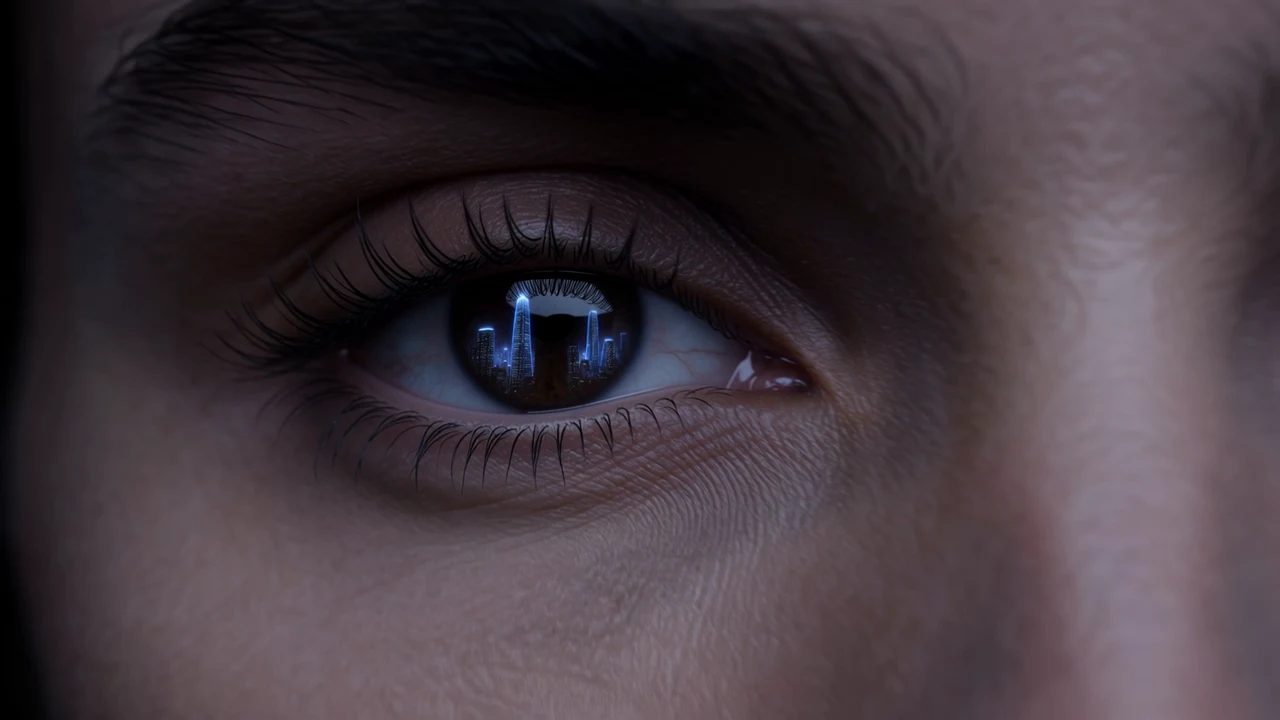
Reeldo でレンダーしたプラットフォームフィルム:マクロの目、スタジオ reveal、ネイティブ VO、エンドカード — ソーシャルと本ケーススタディで同一プロンプト。
Reeldo 上
Text to video · 16:9 · 15s · ホスト MP4 利用可能時。
例プロンプト

Horizontal 16:9, 15 seconds, single continuous camera move, no jump cuts. Premium sci-fi blockbuster look, zinc-black and indigo rim light, photoreal textures, anamorphic lens flares, subtle film grain, HDR. Blockbuster VFX detail: readable micro-texture, stable physics, no cartoon look. Open on extreme macro: human eye reflecting a holographic city skyline, iris and catchlight razor sharp, visible skin pores and eyelashes. Seamless dolly out reveals the same person in a matte-black studio wearing a sleek helmet, face identity locked, no morphing. Camera arcs through floating dust motes crossed by thin laser grids; each particle and light streak crisp. Slow orbit, weighted cinema drone feel, no handheld shake. Native audio: low sub drone, soft room tone, faint hologram hum — no music, no lyrics. English VO, calm authoritative trailer tone at 6s: "Thirty-second stories. One generation. Kling 4.0 Full — now live on Reeldo AI." Seconds 12–15: camera settles to static locked end card, near-black background, soft indigo vignette. Sharp high-contrast white sans-serif, spelled exactly two lines centered: Reeldo AI then Kling 4.0 is live — hold full 3 seconds, VO silent, soft cinematic tail tone. No klingai.com, no third-party logos, no other on-screen text before the end card. Avoid morphing faces, extra fingers, gibberish subtitles, warped or melting typography, jump cuts, handheld chaos, cheap social clip aesthetic.

Reeldo 上 Kling 3.0 vs Kling 4.0

両方 Reeldo で実行 — 必要な長さ、参照、実際の納品解像度で選ぶ。

選定図 — 本ページ Kling 4.0 は30s・Keyframes・Reference、/kling の Kling 3.0 は4K・マルチショット
機能Kling 3.0 · /kling ページKling 4.0 · 本ページ
1生成あたり最大長4〜15秒Reeldo 上 3–30 seconds
キーフレーム制御開始 + オプション終了フレーム(I2V)2–10 順序キーフレーム(Keyframes タブ)
多モーダル参照テキスト + 画像 I2V のみReference タブ:10 画像 + 5 動画 + 7 Elements
Reeldo 解像度720p / 1080p / ネイティブ 4K ティア720p / 1080p(21:9 対応)
オーディオネイティブ Sound-On トグル(任意)対応 T2V/I2V でネイティブステレオ;Reference で Element voice_id
プロンプト上限標準長Reference/Edit は長文;Keyframes 最大 2,500 文字

Reeldo でよくある Kling 4.0 問題の修正

無駄なクレジットの多くはタブ選択やタグ名の誤り — モデル品質ではありません。

Kling 4 でよくある3点 — タグ順、Keyframes と Reference の分離、4K は Kling 3

プロンプトに @Image2 だが画像1枚のみ

修正: アップロード順を変更するか、各 @ タグにファイルがあるようプロンプトを編集。

原因

Reference/Edit ではタグ番号とアップロード順が一致必須。

Keyframes + Reference を1ジョブに期待

修正: 1生成1タブ、または Video Extend で2エクスポートをチェーン。

原因

Kling は Omni Reference と Keyframes を分離 — Reeldo は別タブ。

4K または HDR 納品が必要

修正: /kling の Kling 3.0 4K、または /video-upscale でエクスポート後アップスケール。

原因

Reeldo Kling 4.0 は本ページ最大1080pエクスポート。

その他の修正
  • Kling 4 と @audio1

    音声ファイル参照は /reference-to-video — Kling 4 Reference は @Image1 と Element voice ID。

  • クレジット急増

    参照動画をトリムし、各実行前に Generate のクレジットを確認。

  • 既存 MP4 を編集

    Edit video は本ページタブにない場合 — クリップ変換は /video-to-video。

よくある質問

Reeldo で Kling 4.0 のどのモードを使う?

Keyframes vs 画像から動画の終了フレーム?

Kling 4 Reference vs Reeldo の Reference to Video?

Kling 4 Reference で音声参照をアップロードできる?

Video Edit vs Reference の違いは?

Kling 4.0 vs Reeldo の AI Motion Control?

Reeldo で Kling 4.0 vs 3.0 — どちら?

Kling 4.0 vs Seedance 2.5 — どちら?

Reeldo に Kling 4.0 Flash はある?

Reeldo は Kling 公式サイト?

Kling 4.0 は1連続テイクを保てる?

Reeldo vs kling.ai の Kling 4.0 料金は?

Reeldo Kling 4.0 で今日サポートされているものは?

4K または HDR 出力が必要 — どうする?

Reeldo AI は Kuaishou および kling.ai と無関係です。公式 Kling は klingai.com。