Reeldo AIReeldo AI

URLから動画

URLから動画 AIジェネレーター

公開ページ URL を貼り、リンクを確認し、動画タイプとビジュアルスタイルを選んで、Wan 3.0 Link で短い MP4 を生成します。

ジェネレーターを試す

Public webpage URL

Public product, SaaS, or blog URL — not social or video files.

PDF? File to Video →

Video type

Visual style

Motion and pacing for this clip — your URL stays the main input.

Product ad · Studio push-in · 9:16 · 10s · On

Extra direction (optional)

Wan reads your URL first — add a short note only if you want to steer tone or emphasis.

Output settings

Aspect ratio

Duration

Resolution

Sound

Brand packaging

Defaults by video type. Wan renders a short branded intro and/or outro (logo + site name from your page) inside the video — no post-processing step.

Preview

Recorded example: a ~15s vertical product ad from a public Shopify product page, made with the same Wan Link flow as this form. Paste your URL, tap Check link, then Generate — your clip replaces this preview.

Open the source product page
Recorded example9:16 · 10s · 720p
9:16 · 10s · 720p

ページリンクから作れるもの

公開 URL を確認し、動画タイプとビジュアルスタイルを選び、Wan Link で生成。例01は再生可能な商品ページ広告、例02はランディングヒーロー — 両方録画済み。例03〜04は同じプリセットのイラスト静止画。

Example 01 / 04

ソースページ

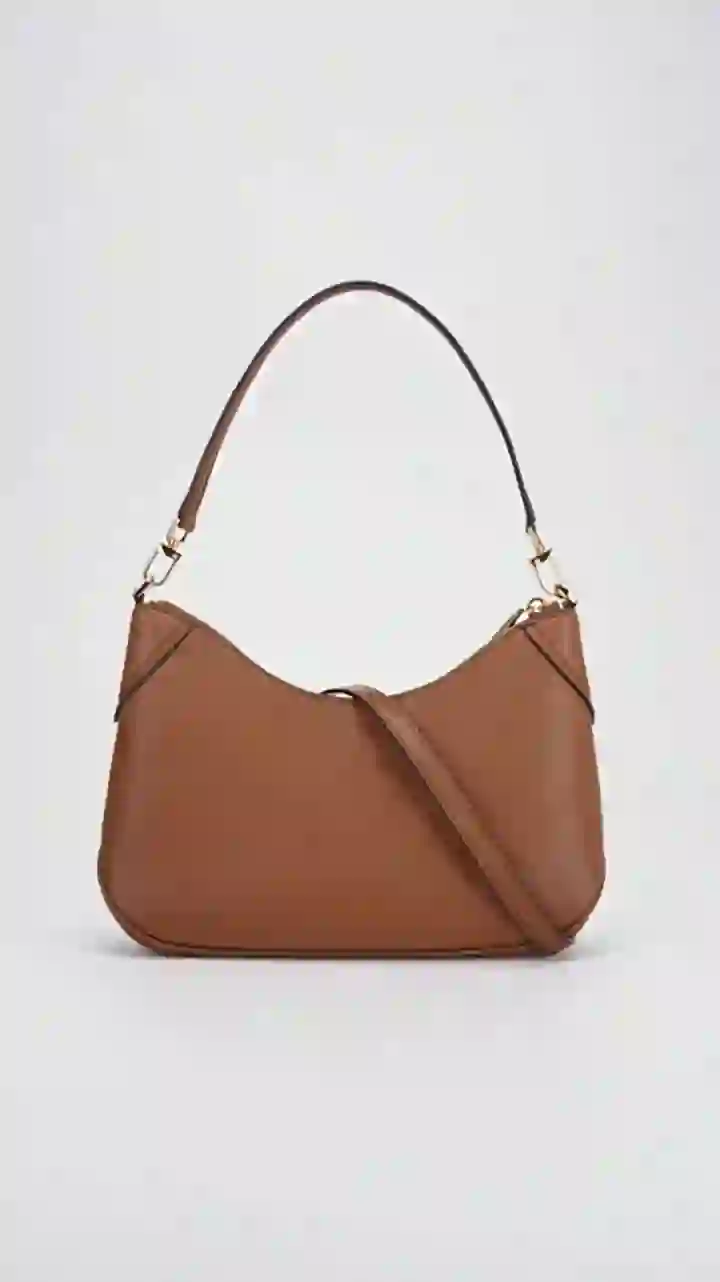
Shopify Dawn デモストア商品ページのスクリーンショット — URLから動画の入力

商品ページ URL

生成クリップ

録画実行

商品広告 · 9:16

Shopify Dawn デモ商品ページからの縦型ソーシャル広告 — ジェネレーターの録画プレビューと Product ad プリセットに一致。

ソースページを確認 →

プリセット

Product adStudio push-in9:1615sエンドカード(クリップ内)ヒーロー画像オン
Wan ディレクティブ(プロンプトテンプレート)+

プロンプトテンプレート

Based on this public webpage (reference_link_urls), create a concise video. Format: vertical product ad for social; mobile pacing; hero product visible early. Slow cinematic push-in, clean studio lighting, mobile-native pacing. Match Image1 from reference_image_urls for hero/product look; preserve shape and color. End with ~1.5s branded outro: show the page logo and readable site brand name on a clean simple background matching the page tone. Additional direction: Slow studio push-in on the bag — highlight craft and everyday carry from the product page. Do not invent prices, specs, or claims not on the page.

Example 02 / 04

ソースページ

AI Yard Design Studio マーケティングランディングページのスクリーンショット — URLから動画の入力

ページ URL

生成クリップ

録画実行

ランディングヒーロー · 16:9

ai-yard-design.com からの横型ヒーローモーション — 上のジェネレーターと同じリンク確認 → Landing hero フロー。

ソースページを確認 →

プリセット

Landing heroBrand confident16:915sエンドカード(クリップ内)
Wan ディレクティブ(プロンプトテンプレート)+

プロンプトテンプレート

Based on this public webpage (reference_link_urls), create a concise video. Format: horizontal marketing hero; confident brand motion. Confident brand-forward motion, steady camera. End with ~1.5s branded outro: show the page logo and readable site brand name on a clean background. Additional direction: AI yard landscape design from photos — confident hero motion, premium ad feel. Do not invent prices, specs, or claims not on the page.

Example 03 / 04

ソースページ

ブログ記事ページのスクリーンショット — URLから動画の入力

記事 URL

生成クリップ

URLから動画向け縦型ブログティーザープリセットのイラスト
コンセプト静止画

ブログティーザー · 9:16

公開記事 URL からの短い Reels 風フック — Article teaser プリセット、moody b-roll、デフォルトでブランドパッケージングなし。

プリセット

Article teaserMoody b-roll9:168sブランドパッケージングなし
Wan ディレクティブ(プロンプトテンプレート)+

プロンプトテンプレート

Based on this public webpage (reference_link_urls), create a concise video. Format: article teaser; moody b-roll energy; hook the topic without spoiling. Atmospheric b-roll, moody lighting, teaser energy. Do not invent prices, specs, or claims not on the page. No on-screen text, logos, or watermarks.

Example 04 / 04

ソースページ

サービスまたは代理店ページのスクリーンショット — URLから動画の入力

サービスページ URL

生成クリップ

URLから動画向け縦型サービスプロモプリセットのイラスト
コンセプト静止画

サービス紹介 · 9:16

サービスや代理店ページからの信頼構築縦型プロモ — 温かいモーション、任意のヒーロー画像、有効時はクリップ内エンドカード。

プリセット

Service clipTrustworthy9:1610sエンドカード(クリップ内)ヒーロー画像オン
Wan ディレクティブ(プロンプトテンプレート)+

プロンプトテンプレート

Based on this public webpage (reference_link_urls), create a concise video. Format: trust-building service promo; warm, credible atmosphere. Warm authentic service atmosphere, credible motion. Match Image1 from reference_image_urls for hero/product look; preserve shape and color. End with ~1.5s branded outro: show the page logo and readable site brand name on a clean simple background matching the page tone. Do not invent prices, specs, or claims not on the page.

URLから動画の流れ

公開ページリンクを貼り、確認し、動画タイプとビジュアルスタイルを選ぶ — Wan Link が URL を読み短いクリップを返します。任意のブランドパッケージングは動画内にレンダリングされ、後処理ではありません。

  1. URLから動画ジェネレーター — ページ URL を貼りリンク確認をタップ

    Step 1

    貼り付けてリンク確認

    公開の商品、ブログ、ランディング URL を使用 — YouTube、TikTok、直接 .mp4 ファイルではありません。リンク確認でページ到達可能か確認し、タイトルとヒーロー(OG)画像メタデータを取得します。

  2. URLから動画ワークベンチの動画タイプタイルとビジュアルスタイルチップ

    Step 2

    動画タイプとビジュアルスタイル

    Product ad、blog teaser、landing hero、service clip がアスペクト比、長さ、Wan ディレクティブの骨格を設定。ビジュアルスタイルチップ(例:studio push-in、brand confident)がモーションとムードを誘導。

  3. URLから動画のブランドパッケージングとページヒーロー画像トグル

    Step 3

    任意:フォーカス、ヒーロー画像、ブランドパッケージング

    トーンを足したい場合は1行フォーカスを追加。ヒーロー画像をオンにするとページ OG ショットを Wan 参照に。ブランドパッケージングはロゴとサイト名の短いクリップ内イントロまたはエンドカードを追加。

  4. URLから動画で録画例プレビューと生成クリップのダウンロード準備完了

    Step 4

    生成と納品

    生成で URL を Wan 3.0 Link モードへ(デフォルト Standard、Advanced で Prime)。MP4 をダウンロード、または秒数追加やシャープな納品には Video Extend と Upscale。

URLから動画 AI で使えるリンクは?

Reeldo の Webページから動画は公開 HTML ページで Wan 3.0 Link を使用 — リンク確認で URL が到達可能な後。リンク1つを貼り、動画タイプとビジュアルスタイルを選んで生成。

  • 公開 HTML ページ
  • Shopify と商品 PDP
  • PDF とデッキリンク
  • SNS と直接 .mp4
URLから動画 AI で使えるリンクは?
入力対応?備考
公開の商品、ブログ、ランディング、サービスページはいリンク確認 → 動画タイプ+ビジュアルスタイル → Wan Link で生成
Shopify、Amazon、ストア商品ページ(PDP)はいProduct ad プリセット · 9:16 · 任意のヒーロー画像(og:image)を Wan 参照に
SaaS とマーケティングランディングページはいLanding hero · 16:9 · 任意のクリップ内ブランドパッケージング(ロゴ+サイト名)
ブログ投稿と記事 URLはいBlog teaser · 9:16 · moody または bold ビジュアルスタイルチップ
タイトル、説明、og:image があるページはいメタデータが Wan ディレクティブに供給 — 別 Analyze brief 製品ではありません
PDF、PowerPoint、Word、ドキュメントリンク→ ファイルから動画ファイルから動画を使用 — Wan は HTML ラッパーではなくファイルを直接読みます
YouTube、TikTok、Instagram、ログイン壁、直接 .mp4いいえサイト上の通常のページ URL(商品、ブログ、ランディング)を使用

制御できる出力

ビジュアルスタイルチップブランドパッケージング(クリップ内)アスペクト · 2〜30s

生成後

クリップはジェネレータープレビューで開きます。MP4 をダウンロードするか Reeldo で続行 — 生成ごとにクレジット(料金参照)。

  • クリップの準備ができたら MP4 をダウンロード。
  • Video Extend — 同じシーンの末尾に秒数を追加。
  • Video Upscale — SNS アップロードや納品前に解像度をシャープに。

URLから動画 AI FAQ

URLから動画 AI とは?

リンク確認は何をしますか?

Product ad、blog teaser、landing hero、service clip?

Shopify や Amazon 商品ページの最適設定は?

ブログ記事を Reel にできますか?

URLから動画 AI は記事全体をナレーションしますか?

代理店やサービスページで URLから動画は使えますか?

ロゴは後制作で追加されますか?

ビジュアルスタイルチップとは?

ページヒーロー画像はいつ使いますか?

Webページから動画で使えない URL は?

URLから動画とファイルから動画?

Wan は URL をどう読みますか?

クリップを長くできますか?

いつ再度リンク確認しますか?

Pictory や HeyGen のようなものですか?